


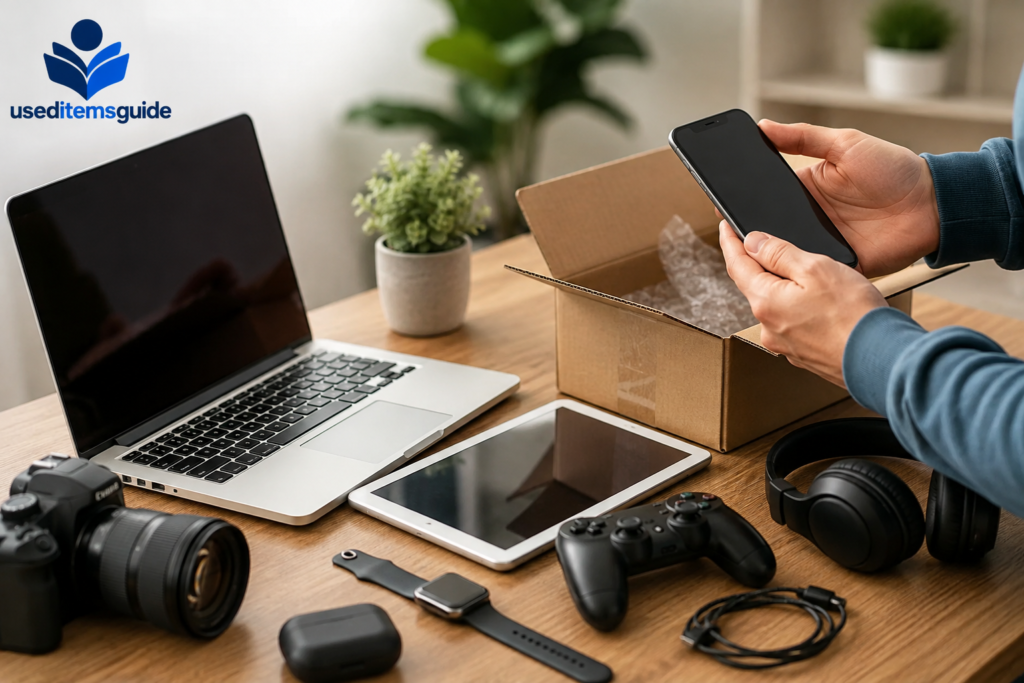
Old phones, laptops, tablets, gaming consoles, smartwatches, headphones, cameras, and other devices can still be worth a surprising amount of money. The problem is that many people either leave them sitting in a drawer for years or accept the first trade-in offer they receive.
If you want to get the best possible price, selling used electronics requires more than simply posting a photo and waiting for a buyer. You need to know exactly what you are selling, understand its condition, research realistic prices, choose the right platform, protect your personal data, and create a listing that gives buyers confidence.
This guide explains how to sell used electronics online for the best price in 2026, from preparing your device to negotiating with buyers and completing the sale safely.
If you are still deciding which marketplace is best for your specific device, you can also read our guide on where to sell old electronics. It compares different selling options and can help you decide whether a marketplace, local sale, buyback service, or trade-in option makes the most sense.
Why Selling Used Electronics Takes a Little Preparation
EElectronics lose value quickly. A phone that is worth $500 today may be worth significantly less after a new model is released. The same applies to laptops, tablets, gaming consoles, smartwatches, and many other devices.
That does not mean you should immediately accept the first offer you receive.
There is often a major difference between:
- A quick trade-in offer
- An instant buyback quote
- A local marketplace sale
- A direct online sale to another consumer
- A specialized electronics marketplace
The easiest option is not always the most profitable one.
For example, a buyback company may offer instant convenience, but a private buyer may be willing to pay considerably more for the same device. On the other hand, spending hours creating listings and answering messages may not make sense if the device only has a low resale value.
Before choosing where to sell, it is also worth preparing your electronics properly. Cleaning the device, checking its condition, testing important features, removing personal data, and gathering accessories can help you create a stronger listing. Read our guide on how to prepare used electronics before selling online for a step-by-step preparation checklist.
The goal is to find the right balance between:
- Selling price
- Time required
- Selling fees
- Shipping costs
- Risk
- Convenience
Once you understand those factors, you can make better decisions about every device you want to sell.
Identify Exactly What You Are Selling
Before researching prices or creating a listing, identify your device correctly.
This sounds obvious, but many electronics come in multiple versions that can have very different resale values.
For a smartphone, check:
- Exact model
- Storage capacity
- Carrier status
- Whether it is unlocked
- Battery health
- Color
- Included accessories
For a laptop, identify:
- Manufacturer and model
- Processor
- RAM
- Storage capacity
- Screen size
- Graphics card
- Operating system
- Battery condition
- Charger availability
For gaming consoles, check:
- Console generation
- Storage capacity
- Included controllers
- Games included
- Original cables
- Special edition status
A vague listing such as:
Used laptop in good condition
will usually perform worse than a listing that clearly states the exact specifications.
Buyers want to know exactly what they are getting. The more useful information you provide, the fewer unnecessary questions you will receive.
You can usually find model information in your device settings, on the original box, or on a label located somewhere on the device.
Check Whether the Device Is Fully Paid Off and Unlocked
This step is especially important when selling phones, tablets, and smartwatches with cellular connectivity.
A phone that is still connected to an unpaid financing plan, reported as lost or stolen, or locked to an account can be difficult or impossible to sell.
Before listing the device, check:
- Whether the device is paid off
- Whether it is carrier unlocked
- Whether the IMEI is clean
- Whether activation locks have been removed
- Whether the device can be transferred to another owner
An unlocked device is generally more attractive because buyers can use it with different compatible carriers.
If the device is locked, be honest about it in your listing. Never assume the buyer will figure it out later.
Clear information protects you from disputes and helps attract buyers who are actually interested in your device.
Research the Real Market Value
One of the biggest mistakes sellers make is pricing based on what they originally paid.
Electronics do not retain their original retail value forever. Buyers care about what the device is worth now.
To estimate a realistic selling price, look at:
- Recently sold listings
- Current listings for similar devices
- Buyback offers
- Trade-in values
- Local marketplace prices
Pay close attention to the condition and specifications of each comparable device.
A 256GB phone may sell for more than a 128GB version. A laptop with 16GB of RAM may have a different market value than the same model with 8GB.
Do not compare your device with the highest asking price you can find.
Instead, focus on what similar items have actually sold for.
A seller can list an old phone for $800, but that does not mean anyone is willing to pay $800.
Build a Simple Price Range
A useful approach is to create three numbers:
Quick-sale price:
The amount that could attract buyers quickly.
Target price:
The amount you realistically want to receive.
Maximum asking price:
A slightly higher starting point that gives you room for negotiation.
For example:
- Quick-sale price: $250
- Target price: $280
- Starting price: $310
This gives you flexibility when buyers make offers.
Do not price excessively high simply because you expect people to negotiate. An unrealistic price can cause buyers to ignore your listing completely.
Compare the Selling Costs Before Choosing a Platform
The sale price is not the same as your final profit.
Before choosing where to sell, calculate your expected net payout.
Your final amount may be reduced by:
- Marketplace fees
- Payment processing fees
- Shipping costs
- Packaging materials
- Insurance
- Return costs
For example, imagine you sell a phone for $400.
After fees and shipping, you may only receive $340.
Another platform might allow you to sell it for $370 but charge fewer fees, leaving you with a higher final payout.
This is why comparing the headline price alone is not enough.
Always ask:
How much money will actually reach my account after every cost is deducted?
That number matters more than the listing price.
Choose the Right Place to Sell Your Device
Different platforms work better for different types of electronics.
A specialized marketplace may be ideal for an unlocked smartphone, while a local marketplace may be better for a heavy desktop computer or large monitor.
A fast buyback service may be useful when speed matters more than maximizing profit.
General Online Marketplaces
Large marketplaces can work well for:
- Smartphones
- Laptops
- Tablets
- Gaming consoles
- Cameras
- Smartwatches
- Headphones
- Computer accessories
Their biggest advantage is access to a large number of potential buyers.
The disadvantage is that you usually need to handle:
- Photography
- Listing creation
- Buyer messages
- Shipping
- Possible returns
For valuable electronics in good condition, the extra effort can often be worthwhile.
Specialized Electronics Marketplaces
Technology-focused platforms can be useful for:
- Smartphones
- Tablets
- Laptops
- Smartwatches
These platforms may attract buyers who already understand specifications and are actively searching for particular models.
Specialized marketplaces can also create more confidence when devices require verification.
Local Selling Platforms
Local selling is often useful for large or heavy electronics, including:
- Desktop computers
- Monitors
- TVs
- Large speakers
- Gaming bundles
The main advantage is avoiding expensive shipping.
The buyer may also be able to inspect and test the device before purchasing.
However, local sales can involve:
- Low offers
- Missed appointments
- Buyers changing their minds
- Safety considerations
Always meet in an appropriate public location when possible.
Buyback and Instant-Quote Services
These services are designed for convenience.
You select your device, describe its condition, receive a quote, and send the item for inspection.
This option can be useful when:
- You need money quickly
- You do not want to deal with buyers
- The device has relatively low value
- You have several devices to sell
- Convenience matters more than the maximum payout
The main disadvantage is that you may receive less than you could through a direct sale.
Clean Your Used Electronics Before Selling
Presentation matters.
A device covered in fingerprints, dust, or dirt can look older and more damaged than it actually is.
Before taking photos:
- Wipe the screen carefully
- Clean the exterior
- Remove dust from ports
- Clean accessories
- Organize cables
- Remove old stickers if appropriate
Use appropriate cleaning materials for electronics.
Avoid applying excessive moisture directly to the device.
The goal is not to make an old device look brand new. The goal is to present its real condition clearly and professionally.
A clean device can make your photos look significantly better.
Grade the Condition Honestly
Condition is one of the biggest factors affecting resale value.
A useful way to think about condition is:
Like New or Excellent
The device has little to no visible wear and works perfectly.
Good
The device works correctly but has minor signs of normal use.
Fair
The device has noticeable scratches, cosmetic wear, or minor issues but remains functional.
Poor or Damaged
The device may have significant cosmetic damage or functional problems.
Do not describe a device as being in excellent condition if the screen is scratched, the battery performs poorly, or important features do not work.
Honesty is not only the right approach. It also protects you from returns, disputes, and negative feedback.
If there is damage, photograph it.
A buyer who sees the flaw before purchasing is less likely to claim they were misled later.
Test Every Important Function Before Listing
Before selling, test the device thoroughly.
For smartphones, test:
- Screen
- Touch response
- Cameras
- Speakers
- Microphone
- Charging
- Wi-Fi
- Bluetooth
- Buttons
- Face or fingerprint authentication
For laptops, test:
- Keyboard
- Trackpad
- Screen
- Webcam
- USB ports
- Charging
- Wi-Fi
- Speakers
- Battery
- Storage
For gaming consoles, test:
- Startup
- Controllers
- Disc drive
- Internet connection
- HDMI output
- Audio
- Storage
If something does not work, disclose it.
It is much better to sell a device honestly as having a known issue than to deal with a refund request later.
Protect Your Personal Data Before Selling
Never sell a phone, laptop, tablet, or gaming console without properly removing your personal information.
Old electronics can contain:
- Photos
- Videos
- Passwords
- Banking information
- Email accounts
- Personal documents
- Saved payment methods
- Private messages
Before resetting your device, back up anything you want to keep.
Then remove your accounts and perform the appropriate factory reset.
For Phones and Tablets
Sign out of your accounts and remove activation locks before resetting.
After the reset, confirm that the device opens to the setup screen and does not request your personal account credentials.
For Laptops
Back up your files, sign out of important services, remove saved passwords, and use the appropriate reset or erase process for the operating system.
For Gaming Consoles
Remove your account, payment information, saved login credentials, and personal data before restoring factory settings.
Do not simply delete a few files and assume your information is gone.
Use the proper reset process for your specific device.
Take Better Photos for Your Listing
Photos often determine whether someone clicks on your listing.
You do not need expensive photography equipment.
A smartphone camera and good lighting are often enough.
Take photos of:
- Front
- Back
- Both sides
- Corners
- Screen
- Ports
- Accessories
- Original box
- Any visible flaws
Use a clean background.
Natural lighting can work well, but avoid strong glare on screens.
If the device has a scratch, crack, dent, or other issue, include a clear photo.
Trying to hide damage may lead to disputes.
Show That the Device Works
When appropriate, include photos showing:
- The device powered on
- Storage information
- Battery health
- System specifications
- Accessories
However, make sure personal information is not visible.
Do not photograph passwords, email addresses, account information, or sensitive data.
Write a Listing That Buyers Trust
A good electronics listing should answer the buyer’s important questions before they need to ask.
Start with a clear title.
For example:
Apple iPhone 14 Pro 256GB Unlocked – Good Condition
This is more useful than:
Great Phone for Sale
Your description should include:
- Exact model
- Storage
- Condition
- Functionality
- Carrier or unlock status
- Battery information when relevant
- Included accessories
- Known flaws
- Shipping or pickup details
Use short paragraphs and bullet points.
Buyers should be able to scan the listing quickly.
Example Listing Structure
Condition: Good used condition with minor cosmetic wear.
Included: Device, charging cable, and original box.
Functionality: All major features tested and working.
Battery: Battery health information included where applicable.
Flaws: Small scratch near the bottom corner, shown in photos.
Account status: Factory reset and ready for a new owner.
This structure makes the listing easy to understand.
Price Your Device Strategically
Pricing too high can leave your device unsold.
Pricing too low can cost you money.
A practical strategy is to start slightly above your target price while staying close to the actual market range.
This gives you room to negotiate.
For example, if you want to receive $300, you might list at $330 rather than $300.
If a buyer offers $300, you can accept your target amount.
However, do not add an unrealistic amount just to create negotiating room.
Buyers often compare multiple listings, and an overpriced device may receive no interest.
If your listing has received very little attention after a reasonable period, review:
- Price
- Photos
- Title
- Description
- Competition
A small price adjustment can sometimes make a major difference.
Bundle Accessories to Increase Value
Accessories can make your listing more attractive and may help you get a better overall price. If you are selling multiple items while clearing out unused belongings, you can also explore Used Items Guide for more helpful tips on selling different types of used items online.
Consider including:
- Chargers
- Cables
- Original boxes
- Cases
- Extra controllers
- Gaming accessories
- Keyboards
- Mice
- Adapters
A complete package can be easier to sell than several separate items. For gaming equipment, a console with controllers and games may attract more interest than the console alone.
For phones and laptops, including the original charger and box can also improve buyer confidence and make your listing feel more complete. Buyers often prefer purchasing a ready-to-use package rather than searching separately for missing accessories.
However, do not include accessories that you want to keep simply because you think every item must be bundled. Compare whether selling accessories separately could generate more money or whether including them in a bundle will help the main item sell faster.
Sell at the Right Time
Timing can influence the price of used electronics.
One important factor is new product releases.
When a new generation is announced, older models often lose value.
If you already know you plan to upgrade, selling your current device before the new release may help preserve more of its resale value.
Seasonal demand can also matter.
Laptops may attract more attention before back-to-school periods, while gaming consoles and entertainment electronics can see increased demand before the holiday season.
The best time to sell is not always about finding a perfect date.
In many cases, the biggest mistake is simply waiting too long.
A device sitting unused for another year may lose far more value than you gain by waiting for a slightly better selling opportunity.
Respond to Serious Buyers Quickly
Online buyers often contact several sellers.
If you wait too long to respond, they may purchase from someone else.
Try to answer legitimate questions clearly and professionally.
Common questions include:
- Is it still available?
- Is the price negotiable?
- Does everything work?
- Is the phone unlocked?
- How is the battery?
- What accessories are included?
- When can you ship?
Keep your answers consistent with your listing.
Do not promise features or accessories that were not included in the original description.
Know How to Negotiate Without Giving Away Too Much
Negotiation is common when selling used electronics.
Before listing, decide:
- Your ideal price
- Your acceptable price
- Your absolute minimum
This makes negotiations easier.
If someone sends an extremely low offer, you do not need to accept it simply because it is the first offer.
You can respond politely with a counteroffer.
For example:
Thanks for the offer. I can’t go that low, but I can do $285.
This keeps the conversation open without immediately accepting an unfavorable price.
At the same time, avoid becoming too attached to a number.
If similar devices are selling for less than your asking price, refusing every reasonable offer may simply keep your device unsold.
Market value should guide your expectations.
Avoid Common Electronics Selling Scams
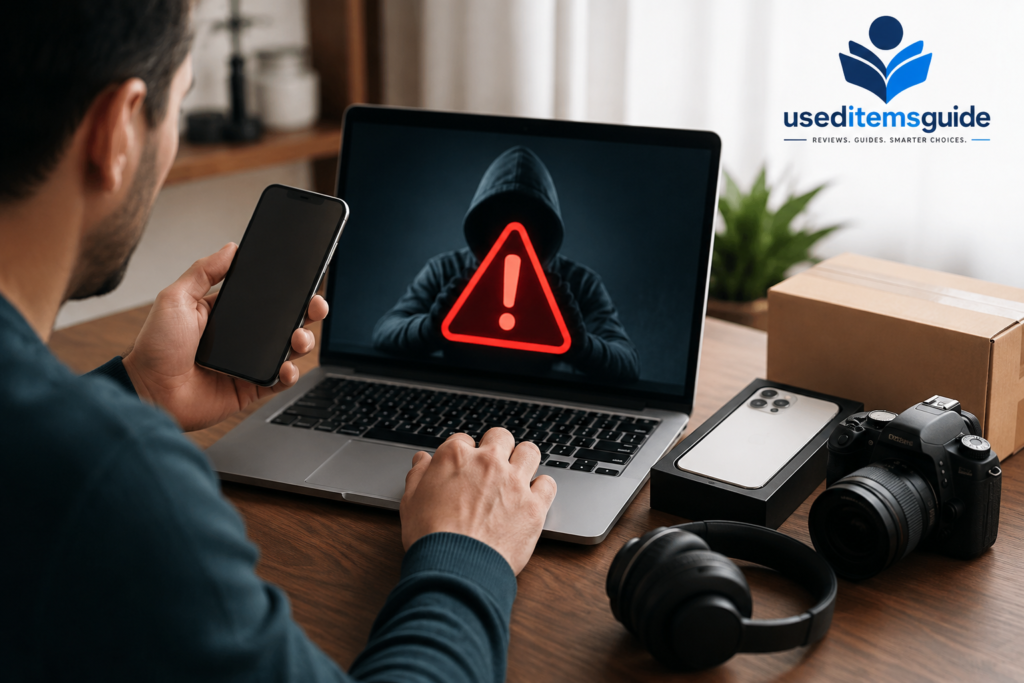
Electronics are popular targets for online scams because they are valuable and easy to resell.
Be cautious if a buyer:
- Offers more than your asking price
- Asks you to ship before payment is confirmed
- Wants to move the conversation to an unusual payment method
- Sends suspicious payment screenshots
- Requests personal information that is not needed
- Wants you to ship to a different address than the confirmed order address
For online sales, use the platform’s normal payment and shipping procedures whenever possible.
Do not rely only on screenshots that claim payment has been sent.
Confirm payment through the actual service.
For local sales, choose a safe public meeting location and verify payment before handing over the device.
Package Electronics Properly
Poor packaging can turn a successful sale into a return or refund.
Use a sturdy box and enough protective material to prevent the device from moving.
For phones and tablets:
- Wrap the device securely
- Protect the screen
- Use cushioning around the item
For laptops:
- Protect the corners
- Add cushioning around the screen and hinges
- Use a properly sized box
For gaming consoles:
- Protect the console from movement
- Wrap controllers separately
- Secure cables and accessories
If the item is valuable, consider shipping with tracking and appropriate insurance.
Before sealing the package, take photos showing the condition of the item and the way it was packed.
This can be useful if a shipping dispute occurs.
Keep Records Until the Sale Is Complete
Do not immediately delete your listing information after shipping.
Keep:
- Photos of the device
- Serial number information when appropriate
- Listing screenshots
- Shipping receipt
- Tracking number
- Buyer communication
This documentation can be useful if there is a dispute.
For high-value electronics, recording the serial number can also help establish which specific device you sold.
Do not publicly display sensitive serial or identification information if doing so could create a security issue.
How to Sell Used Smartphones for the Best Price
Smartphones are among the easiest used electronics to sell, but prices vary significantly based on:
- Model
- Storage
- Condition
- Battery health
- Carrier status
- Unlock status
Before selling a phone, remove the case and inspect the device carefully.
Look for scratches around the camera, dents along the frame, screen marks, and charging problems.
Check the battery information if your device provides it.
Then compare your phone with recently sold devices that have similar storage and condition.
An unlocked phone in excellent condition may be worth significantly more than a carrier-locked device with battery issues.
The most important rule is to describe everything accurately.
How to Sell Used Laptops for the Best Price
Laptop buyers usually care about specifications.
Include:
- Processor
- RAM
- Storage
- Graphics
- Screen size
- Battery condition
- Charger
Do not simply write the brand and model.
Two laptops with the same model name may have very different internal configurations.
Photograph the screen while the device is turned on, but avoid displaying personal information.
Show the ports, keyboard, trackpad, and exterior condition.
If the battery has a known issue, disclose it.
A transparent listing may attract fewer casual buyers, but it can help you attract serious buyers who know exactly what they are purchasing.
How to Sell Used Gaming Consoles
Gaming consoles can often sell faster when bundled.
Consider including:
- Extra controllers
- Games
- Charging docks
- Original cables
- Headsets
Before listing, reset the console and remove your personal account.
Test:
- Controller connectivity
- HDMI output
- Disc drive
- Internet connection
- Storage
- Audio
Take photos of everything included in the sale.
If you have a large collection of games, compare the value of selling them individually versus as a bundle.
A bundle may sell faster, while individual sales may sometimes generate more total revenue.
How to Sell Damaged or Broken Electronics
A damaged device is not always worthless.
Broken electronics may still have value because buyers may want them for:
- Repairs
- Replacement parts
- Refurbishment
- Components
If the device is damaged, describe the problem clearly.
For example:
- Cracked screen
- Dead battery
- Charging issue
- Water damage
- Camera malfunction
- No power
Never list a broken device as fully functional.
Photograph the damage and explain whether the device has been tested.
For a low-value damaged device, an instant buyback or parts buyer may be more practical than spending hours creating a marketplace listing.
Common Mistakes That Reduce Your Selling Price
Many sellers unintentionally lose money through avoidable mistakes.
Waiting Too Long
Electronics generally depreciate. Keeping a device in a drawer for another year can reduce its value significantly.
Using Poor Photos
Dark, blurry photos make buyers less confident.
Hiding Damage
Undisclosed problems can lead to returns and disputes.
Pricing Based on the Original Retail Price
The original purchase price is usually irrelevant to today’s resale market.
Ignoring Fees
A higher sale price does not always mean a higher final payout.
Selling Without Comparing Options
Checking two or three selling options can take only a few minutes and may reveal a major difference in potential payout.
Forgetting to Remove Personal Accounts
This can create security risks and prevent the next owner from using the device.
A Simple Checklist Before You Sell Used Electronics
Before creating your listing, make sure you have completed these steps:
- Identify the exact model and specifications
- Test important features
- Check carrier and account status
- Research realistic market prices
- Compare different selling platforms
- Calculate fees and shipping costs
- Clean the device
- Photograph the device from multiple angles
- Photograph any damage
- Back up your personal data
- Sign out of personal accounts
- Remove activation locks
- Factory reset the device
- Gather chargers and accessories
- Create an accurate listing
- Decide your target and minimum price
- Package the device securely after it sells
- Keep shipping and transaction records
Following this process can help you avoid many of the common mistakes that reduce the value of a sale.
Frequently Asked Questions
What is the best way to sell used electronics online?
The best method depends on the device and your priorities. A direct marketplace sale may provide a higher payout, while a buyback service may be faster and easier. Compare the expected final payout after fees, shipping, and other costs before deciding.
How can I get the most money for my old electronics?
Research recent selling prices, accurately identify the device, clean it, test all major features, take clear photos, include useful accessories, and compare multiple selling options.
Should I sell my electronics locally or online?
Local selling can be useful for heavy or bulky items because you avoid shipping costs. Online marketplaces may be better for compact, high-value electronics because they provide access to a larger pool of buyers.
Should I factory reset my device before selling it?
Yes. Back up your information, sign out of accounts, remove activation locks, and use the proper factory reset process before transferring the device to a new owner.
Are broken electronics worth selling?
Often, yes. Damaged devices may still have value for repair, refurbishment, or parts. Be completely honest about the condition and any known problems.
Should I accept the first offer?
Not necessarily. Compare the offer with recent market prices. If the offer is reasonable and convenience matters, accepting may make sense. If it is significantly below market value, consider waiting or making a counteroffer.
Final Thoughts
Learning how to sell used electronics online for the best price in 2026 comes down to preparation, research, and comparing your options. Start by identifying your device correctly and checking what similar items are actually selling for. Test the device, clean it, document its condition, and remove all personal information before creating a listing.
Then compare your selling options carefully. The fastest option is not always the most profitable, and the highest asking price is not always the amount you will actually keep after fees and shipping.
A high-value phone or laptop in good condition may be worth the extra effort of creating a detailed marketplace listing. A low-value device that you simply want to get rid of may be better suited to a quick buyback service. For more practical advice on selling different types of pre-owned items, visit Used Items Guide.
The key is to match the selling method to the device, its value, its condition, and the amount of effort you are willing to invest. If you regularly sell different categories of secondhand items, you can also explore our guides on used electronics, used furniture, and used baby items to find helpful selling tips for each category.
With the right preparation, honest listings, clear photos, and smart platform choices, you can turn unused electronics and other household items into extra cash while getting closer to the best possible price.
If you want to compare specific platforms and decide where your device is most likely to earn the best return, check our complete guide on where to sell old electronics.
With accurate pricing, honest condition details, strong photos, secure data removal, and a smart choice of platform, you can turn unused electronics into cash while avoiding the common mistakes that cost sellers money.
