



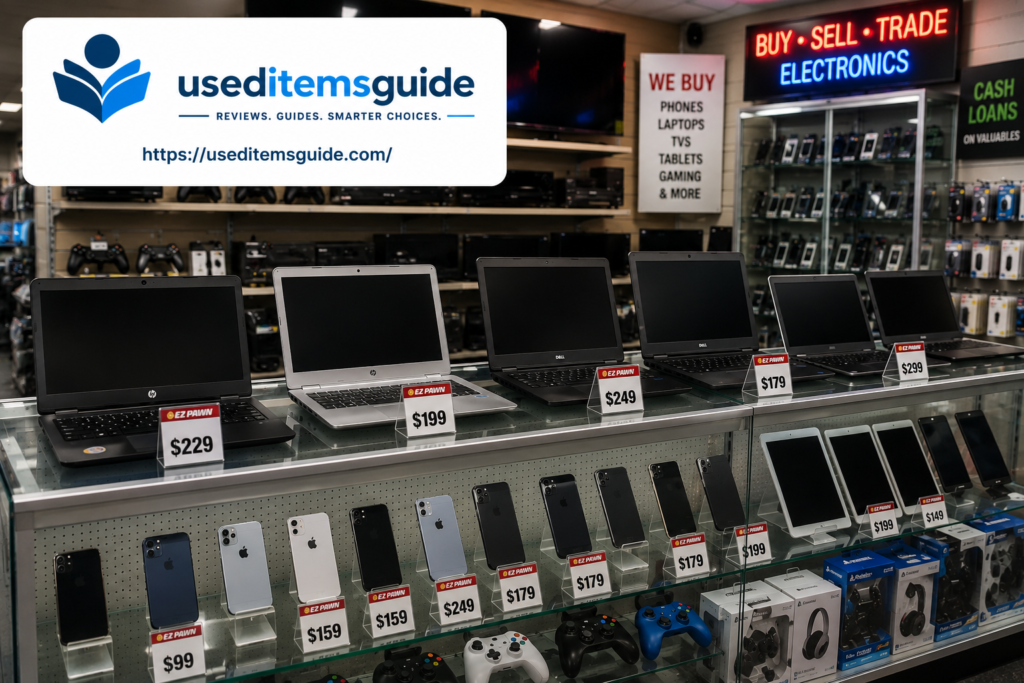
If you’re looking for used electronics in Chattanooga, TN a laptop, a smartphone, a TV, a gaming console, or a tablet you have more real local options than you might expect. Between several well-stocked pawn shops spread across Rossville Boulevard, Lee Highway, and Brainerd Road, a dedicated computer resale and repair shop in East Ridge, and an active Facebook Marketplace scene, Chattanooga shoppers rarely have to settle for the first listing they find.
The tricky part with used electronics isn’t availability it’s making sure what you buy actually works, isn’t stolen or blacklisted, and doesn’t still have someone else’s personal data or account locks on it. This guide walks through exactly where to shop in Chattanooga, what to expect to pay in 2026, and a full safety checklist for laptops, phones, TVs, and gaming consoles specifically, so you know what to check before you hand over any cash.
Why Chattanooga Is a Good City to Buy Used Electronics
Chattanooga supports an unusually large number of independent pawn shops and electronics resellers for a city its size, partly because the metro draws customers and inventory from Rossville, Fort Oglethorpe, and Red Bank in addition to Chattanooga proper. A large student population at UTC also keeps a steady stream of laptops, monitors, and gaming consoles moving through Marketplace listings, especially around the start and end of each semester.
You’ll find the heaviest concentration of pawn shops and resale electronics along Rossville Boulevard, Lee Highway, Brainerd Road, and Dayton Boulevard in Red Bank worth keeping in mind if you want to visit two or three shops in a single trip to compare prices and selection.
Because Chattanooga’s pawn shop scene is largely independent rather than dominated by one or two chains, inventory and pricing genuinely vary from shop to shop, sometimes significantly for the exact same device. It’s worth treating your first stop as a baseline rather than a final answer call ahead or check a shop’s Facebook page for current inventory before making a special trip across town for a specific item.
Best Time of Year to Buy Used Electronics
Electronics pricing follows a predictable seasonal pattern tied to major manufacturer release cycles, and timing your purchase can save you a meaningful amount:
- Late September through November — new iPhone and flagship Android releases push the previous generation onto the secondhand market at lower prices
- Early January — post-holiday season brings a wave of gift returns, upgrades, and “I got a new one for Christmas” listings for laptops, TVs, and gaming consoles
- May and August — UTC semester changes bring a steady flow of laptops and monitors from students graduating or not returning in the fall
Best Places to Buy Used Electronics in Chattanooga, TN
1. EZPAWN (Two Chattanooga Locations)
- Rossville Blvd location: 3601 Rossville Blvd, Chattanooga, TN 37407
- Lee Highway location: 5712 Lee Hwy, Chattanooga, TN 37421
- Sells pre-owned, brand-name electronics at roughly 25-70% off original retail prices, with new inventory arriving regularly
- Carries smartphones, TVs, laptops, tablets, and gaming systems, plus offers layaway with 10% down
2. Household Pawn
- Address: 1904 E 23rd St, Chattanooga, TN 37404
- Wide electronics selection including flat-screen TVs (LCD, LED, plasma), laptops, MacBooks, iPads, digital cameras, and gaming consoles
- Also buys electronics for cash or as loan collateral, so it’s worth checking their floor even if you’re just browsing
3. Valu + Pawn (Cash America)
- Address: 5220 Brainerd Rd, Chattanooga, TN 37411
- Carries TVs, laptops, tablets, gaming systems, and Apple products alongside their jewelry and tool selection
4. Big Bucks Pawn (Red Bank)
- Address: 1904 Dayton Blvd, Chattanooga, TN 37415
- Convenient if you’re already in Red Bank, East Ridge, or Lookout Mountain — carries laptops, desktops, tablets, and gaming consoles alongside furniture and tools
5. Flipping Computers — Best for Laptops and Desktops Specifically
- Address: 1509 Burns Ave #1B, Chattanooga, TN 37412 (East Ridge, just behind Pelican’s SnoBalls on Ringgold Rd)
- Hours: Monday–Friday 11 AM–5 PM, by appointment for drop-offs and pickups
- Unlike general pawn shops, this is a dedicated computer specialist they sell used and refurbished desktops and laptops and also do repairs, so if a used laptop you buy elsewhere runs into trouble, this is a solid local repair option too
- Worth calling ahead, since their used/refurbished inventory changes based on what’s been recently repaired or traded in
6. Facebook Marketplace, Craigslist & National Resale Platforms
A large share of individual electronics sales happen online rather than in-store, and each platform has a slightly different use case:
- Facebook Marketplace — best for local pickup on TVs, gaming consoles, and laptops without shipping fees; widen your radius to 20-25 miles to include Rossville and Fort Oglethorpe listings
- Swappa — a dedicated marketplace for used phones and laptops where every device is checked for a clean IMEI before it’s allowed to be listed, which removes most of the stolen-device risk
- Decluttr and GameStop trade-ins — good for older gaming consoles and games, though trade-in value is usually lower than a private sale
- Best Buy Outlet (online) — sells open-box and refurbished electronics with a standard return policy, a useful middle-ground if you want a discount with more buyer protection than a private sale
- ecoATM kiosks — found in some retail locations regionally, useful mainly for selling an old phone quickly rather than buying
Refurbished vs. Used vs. Open-Box: What’s the Difference?
These terms get used loosely, but they mean different things, and knowing the difference helps you judge whether a price is fair:
- Used — sold as-is, with no guarantee the seller tested or repaired anything. This is the bulk of what you’ll find on Facebook Marketplace and Craigslist, and typically the cheapest option, but the risk of a hidden problem is highest here.
- Refurbished — the device has been inspected, tested, and often repaired (new battery, replaced screen, etc.) by whoever is reselling it, whether that’s a manufacturer refurbishment program, a retailer like Best Buy, or a specialist shop like Flipping Computers. Refurbished electronics usually cost more than plain used ones but come with at least some quality assurance and sometimes a short warranty.
- Open-box — technically new, unused merchandise that was returned or had its packaging opened, often sold through a retailer’s outlet channel (like Best Buy Outlet) at a discount off the new price. This is generally the safest “discount” option since it hasn’t actually been used, but it also carries the highest price of the three categories.
As a rule of thumb: if a low price matters most to you and you’re comfortable doing your own testing, shop used listings on Marketplace. If reliability matters more, prioritize refurbished from a specialist shop or open-box from a major retailer, even at a higher price point.
How Much Do Used Electronics Cost in Chattanooga? (2026 Estimates)
| Item | Typical Used Price Range |
| Smartphone (mid-range, e.g. iPhone 12/13 or Galaxy S21/S22 tier) | $100 – $300 |
| Smartphone (flagship, recent generation) | $300 – $600 |
| Laptop (everyday/school use) | $100 – $300 |
| Laptop (higher performance/gaming) | $300 – $700 |
| Tablet | $60 – $200 |
| Flat-screen TV (32″-50″) | $60 – $200 |
| Flat-screen TV (55″+) | $150 – $400 |
| Gaming console (current generation) | $150 – $350 |
Pawn shop prices tend to sit in the middle of these ranges since devices are usually tested and sometimes come with a short guarantee. Facebook Marketplace and Craigslist prices can run lower, especially for older models, but you take on more responsibility for testing the device yourself.
How to Check a Used Phone Isn’t Stolen (Do This Before You Buy)
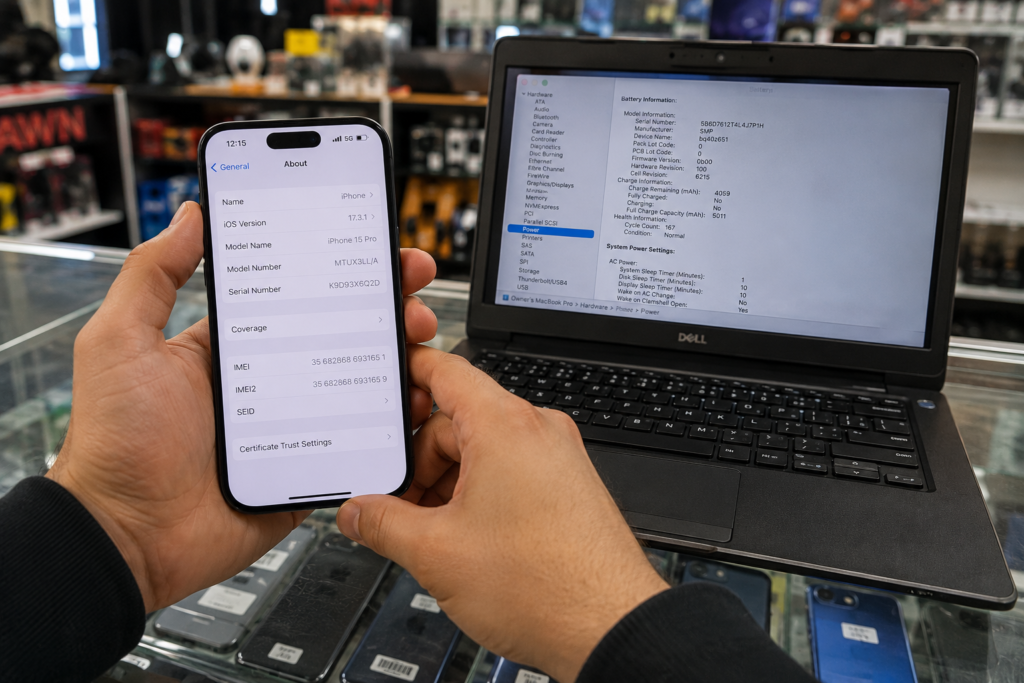
This is the single most important safety check for a used phone, and it takes under a minute. Every phone has a unique IMEI number, and the U.S. wireless industry runs a free official lookup tool through CTIA’s Stolen Phone Checker, which tells you whether a device has been reported lost or stolen before you buy it.
- Find the IMEI by dialing *#06# on the phone, or in Settings under “About Phone“
- Enter the IMEI at the CTIA checker (limited to a few free lookups per day) or ask the seller to do it with you on the spot
- Any seller who won’t let you check the IMEI before paying, or who gets defensive when you ask, is a major red flag
- Also ask the seller to remove the device from their Apple ID / Google account (Find My iPhone or Find My Device) in front of you a phone still linked to someone else’s account can become unusable even if it isn’t reported stolen
Common Electronics Brands You’ll Find Used in Chattanooga
Chattanooga’s pawn shops and Marketplace listings skew toward a predictable mix of mainstream brands, and knowing what’s common versus rare can help you judge how quickly you’ll find what you’re looking for:
- Phones — iPhones (especially the 12 through 15 range) and Samsung Galaxy models dominate local listings; budget Android brands like Motorola and TCL also turn up regularly at lower price points
- Laptops — Dell, HP, and Lenovo make up the bulk of used business and school laptops locally, while MacBooks hold their resale value best and sell relatively quickly when priced fairly
- TVs — Samsung, LG, Vizio, and TCL are the most common used TV brands you’ll find at Chattanooga pawn shops and on Marketplace
- Gaming consoles — PlayStation and Xbox current-generation consoles are the most requested and often sell within days of being listed, while older-generation consoles (PS4, Xbox One) are more readily available and cheaper
What to Check Before Buying a Used Laptop
- Battery health — ask to check battery health in system settings (Mac: About This Mac; Windows: battery report via command prompt); a battery under 80% health is a fair reason to negotiate the price down
- Screen condition — look for dead pixels, discoloration, or hinge damage by displaying a plain white and plain black image full-screen
- Keyboard and trackpad — type a full sentence and test every key, including less-used ones like function keys
- Confirm it’s not locked to an account — Windows laptops shouldn’t still be signed into someone else’s Microsoft account, and MacBooks must have Activation Lock (Find My Mac) turned off, or the laptop can become unusable after a factory reset
- Check the charging port and included charger — a missing original charger is a common negotiating point, since generic replacements can be unreliable
- Run a quick storage and RAM check to confirm it matches what the listing describes
What to Check Before Buying a Used TV
- Power it on and look for dead pixels, uneven backlighting, or lines across the screen, ideally displaying a full white or full black screen
- Test every HDMI port with a device you bring, since a TV can look fine but have one or more failed inputs
- Ask about smart TV account status some smart TVs retain the previous owner’s streaming app logins; a factory reset should be done before you take it home
- Check for image burn-in on older plasma or OLED models, visible as faint ghosting of a logo or static image even when displaying different content
- Confirm the remote is included, or check the cost of a universal replacement remote if not
What to Check Before Buying a Used Gaming Console
- Bring a game or controller to test the console in person rather than taking the seller’s word that “it works fine”
- Check the disc drive (if applicable) for grinding noises or failure to read discs
- Ask whether the console has ever displayed an error code or required a hard drive replacement
- Confirm the console isn’t still linked to the previous owner’s account — ask them to sign out and remove it from their account list in front of you
- Check for the original power cable and at least one working controller, since replacements add to your real total cost
Protecting Your Own Data When You Buy or Sell Used Electronics
Data privacy runs both directions, you want a device that’s been properly wiped of the previous owner’s information, and if you’re also selling your old device to fund the purchase, you’ll want to do the same. The Federal Trade Commission’s consumer guidance recommends backing up anything you want to keep, then fully erasing the hard drive and reinstalling the operating system before selling, donating, or recycling a computer, since simply deleting files does not permanently remove them.
- If you’re buying, confirm the seller has already done a factory reset turn the device on and check that it goes through initial/first-time setup rather than showing someone else’s home screen, apps, or files
- If you’re selling to help fund a purchase, back up your files, sign out of all accounts, and factory reset before handing the device over
Expert Tips for Buying Used Electronics in Chattanooga
- Visit pawn shops mid-week, when floor staff have more time to let you test devices thoroughly than on a busy weekend
- Ask about a short guarantee many Chattanooga pawn shops offer a informal 7-30 day window to bring a device back if it stops working; get this in writing or by text
- Compare Marketplace prices against local pawn shop prices before buying privately — if a private listing is priced close to or above pawn shop pricing, you’re better off buying from the shop for the added peace of mind
- Buy laptops and phones from Flipping Computers or Swappa specifically if peace of mind on functionality matters more to you than getting the rock-bottom price
- Time major electronics purchases around late December and early January, when new-model releases push more still-good previous-generation devices onto the secondhand market
- Bring your own charging cable or controller to test with when possible this confirms the port or connection works rather than relying solely on a cable the seller provides, which could mask a faulty port
- For any device with a battery (phone, laptop, tablet), ask directly about battery health or cycle count if the seller knows it, battery replacement cost should factor into your offer if it’s noticeably degraded
Delivery, Warranty & Return Options
Electronics are one category where a short return window matters more than delivery, since a device can look fine in the store or in a Marketplace meetup but reveal a problem within the first few days of normal use.
- Pawn shops generally don’t offer delivery for smaller electronics since you take the item with you at time of purchase, but ask about their return or exchange window before you buy
- Flipping Computers, as a computer specialist, may offer more flexibility on a return if a laptop has an issue that wasn’t apparent at purchase, ask directly
- For larger TVs bought on Marketplace, confirm whether the seller can deliver or whether you’ll need a vehicle large enough to transport it safely
Avoiding Common Scams When Buying Used Electronics
Used electronics attract more scam attempts than most other secondhand categories simply because the resale value is high relative to size, making stolen or misrepresented devices easy to move quickly. A few extra minutes of caution goes a long way.
- Never buy a phone without checking the IMEI first this is the single most common scam risk in used electronics
- Be cautious of “like-new” laptops or phones sold significantly under the price ranges above with no willingness to let you test them fully before paying
- Watch for sellers who rush the transaction or discourage you from powering on and testing the device “right now”
- For gaming consoles, confirm the console hasn’t been reported for a chip-swap or modification that could violate the manufacturer’s terms of service and result in an online ban
- Meet in a public location or at the pawn shop itself for private-seller transactions involving higher-value items like laptops and phones
- If a seller pressures you to pay through an untraceable method (gift cards, wire transfer, or a payment app’s “friends and family” option specifically to avoid buyer protection), treat that as a serious warning sign regardless of how good the listing looks otherwise
Frequently Asked Questions
Is it safe to buy used electronics from a pawn shop?
Generally yes, pawn shops are regulated businesses that typically test electronics before reselling them and often provide a short guarantee. This makes them a safer starting point than an unknown private seller for higher-value items like laptops and phones.
How do I know if a used phone is stolen?
Check the phone’s IMEI number (dial *#06# to find it) using CTIA’s free Stolen Phone Checker before you buy. A blocked or blacklisted status means the phone won’t activate on any major carrier.
What’s the best place in Chattanooga to buy a used laptop?
Flipping Computers in East Ridge specializes specifically in used and refurbished laptops and desktops, which makes it a stronger choice than a general pawn shop if a working, tested computer matters more to you than the absolute lowest price.
Do pawn shops in Chattanooga offer any warranty on electronics?
Many offer an informal short return or exchange window, though terms vary by shop and aren’t always advertised upfront always ask directly before you buy and get any promise in writing or by text.
Should I buy used electronics on Facebook Marketplace or from a store?
Marketplace tends to have lower prices, especially for older models, but a local shop that tests devices and offers even an informal guarantee is the lower-risk choice for higher-value items like laptops and phones.
How do I make sure a used laptop or console isn’t still linked to the previous owner’s account?
Ask the seller to sign out of and remove the device from their account (Apple ID, Google, Microsoft, or gaming console account) in front of you before you pay, since a device still linked to someone else’s account can become unusable after a reset.
What’s the difference between a used and a refurbished laptop?
A used laptop is typically sold as-is with no testing or repair, while a refurbished laptop has been inspected and often repaired before resale, sometimes with a short warranty. Refurbished units usually cost more but carry less risk.
Is it better to buy an older gaming console used or wait for a new one?
If budget is the main concern, a used previous-generation console (like a PS4 or Xbox One) can still play a large library of games at a fraction of current-generation prices just confirm it isn’t modified in a way that could trigger an online ban.
Related guides on useditemsguide.com:
The Complete Guide to Buying Used Items in Chattanooga, TN
Where to Buy a Used Fridge in Chattanooga, TN
Where to Buy Used Furniture in Chattanooga, TN
Where to Buy Used Tires in Chattanooga, TN
Sources
Federal Trade Commission — Removing Personal Information Before Getting Rid of a Computer
